Our verdict: DigitalOcean is the best VPS for most people running AI agents. Hetzner is the best value if you're comfortable on Linux, Vultr wins when location matters, and Hostinger is the gentlest start.
AI agents, Discord bots, scanners and scheduled workflows need a box that stays online when your laptop sleeps. They don't need an enterprise server. Most agents just call hosted AI APIs, so the VPS is a coordinator, not the model host.

 DigitalOcean
 Hetzner Cloud
 Vultr
 Hostinger VPS
How much server does an agent need?
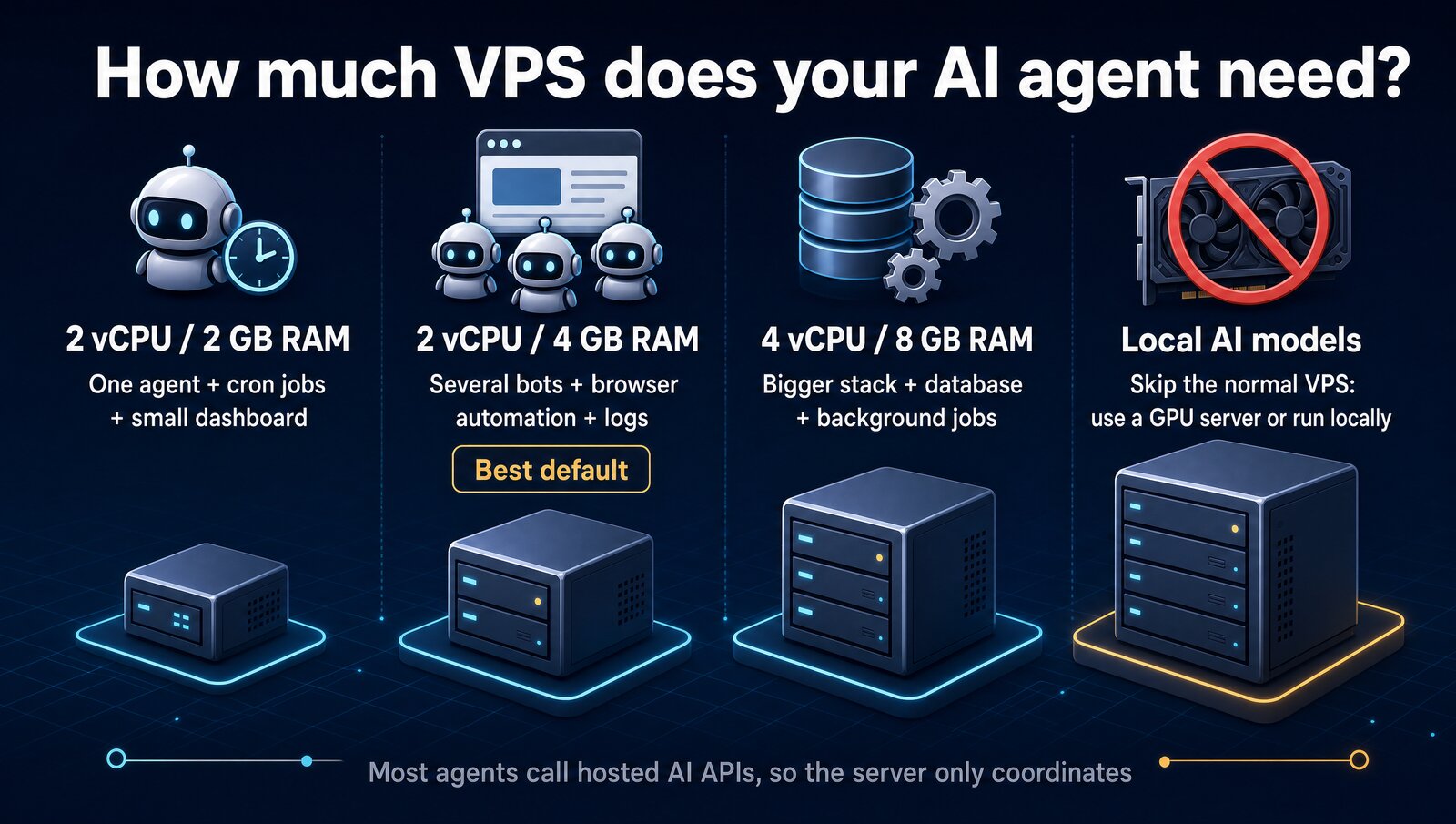
RAM runs out first. Node processes, Python workers, headless browsers and logs pile up fast, so 2 vCPU and 4 GB is the safest default. Move up only when you start stacking a database and background jobs on the same box.
The 4 providers at a glance
DigitalOcean- Clean dashboard, deep tutorial library
- Per-second billing with a monthly cap
- Data centers in the US, Canada, Europe and Asia
The catch: more per GB of RAM than Hetzner.
Hetzner Cloud- 4 GB RAM at the base price, no intro deal
- 20 TB of traffic on EU servers
- US sites in Ashburn and Hillsboro
The catch: that cheapest line is often out of stock.
Vultr- 33 regions in 20 countries
- Hourly billing
- Good middle ground on ease and flexibility
The catch: not the cheapest or the easiest.
Hostinger VPS- 4 GB RAM on the entry plan
- Free weekly backups
- AI web terminal for server tasks
The catch: paid upfront, and the price jumps at renewal.
Prices and plans
Prices checked October 23, 2026, on each company's own pricing page. Hetzner lists euros excluding VAT; Hostinger's are sale prices.
| Provider | Cheapest plan | 2 vCPU / 4 GB | Billing |
|---|---|---|---|
| DigitalOcean | $4/mo (1 vCPU, 512 MB) | $24/mo | Per second, capped at the monthly price |
| Hetzner Cloud | €5.99/mo (CX23: 2 vCPU, 4 GB) | €5.99 CX23 when in stock; €19.99 CPX22 | Hourly, capped at the monthly price |
| Vultr | $5/mo (1 vCPU, 1 GB) | $20/mo | Hourly |
| Hostinger VPS | $6.49/mo intro (KVM 1: 1 vCPU, 4 GB), renews $11.99 | KVM 2 (2 vCPU, 8 GB): $8.79 intro, renews $14.99 | Paid upfront for the term |
What each one gives you
| Feature | DigitalOcean | Hetzner | Vultr | Hostinger |
|---|---|---|---|---|
| Plan under $10 a month | ✓ | ✓ | ✓ | ✓ |
| Pay by the hour or less | ✓ | ✓ | ✓ | ✗ |
| Same price after the first term | ✓ | ✓ | ✓ | ✗ |
| US data centers | ✓ | ✓ | ✓ | ✓ |
| Backups included free | +20% weekly | Paid add-on | – | ✓ Weekly |
| AI help for server tasks | – | – | – | ✓ |
– means the company doesn't say on its pricing page.
DigitalOcean: best for most people
DigitalOcean is the easiest strong recommendation. The dashboard is cleaner than most budget hosts, Ubuntu and Docker setups are quick, and its tutorial library covers nearly every bot and webhook setup you'll run into.
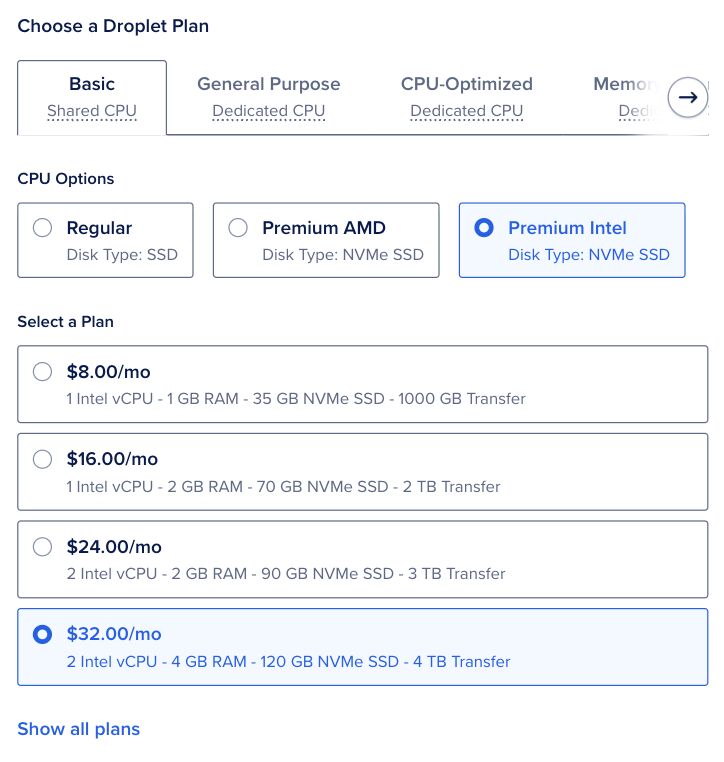
A 2 vCPU, 4 GB Droplet costs $24 a month, and billing runs per second with a monthly cap. It's not the cheapest, and the gap with Hetzner grows as you add RAM.
Hetzner Cloud: best value if you know Linux
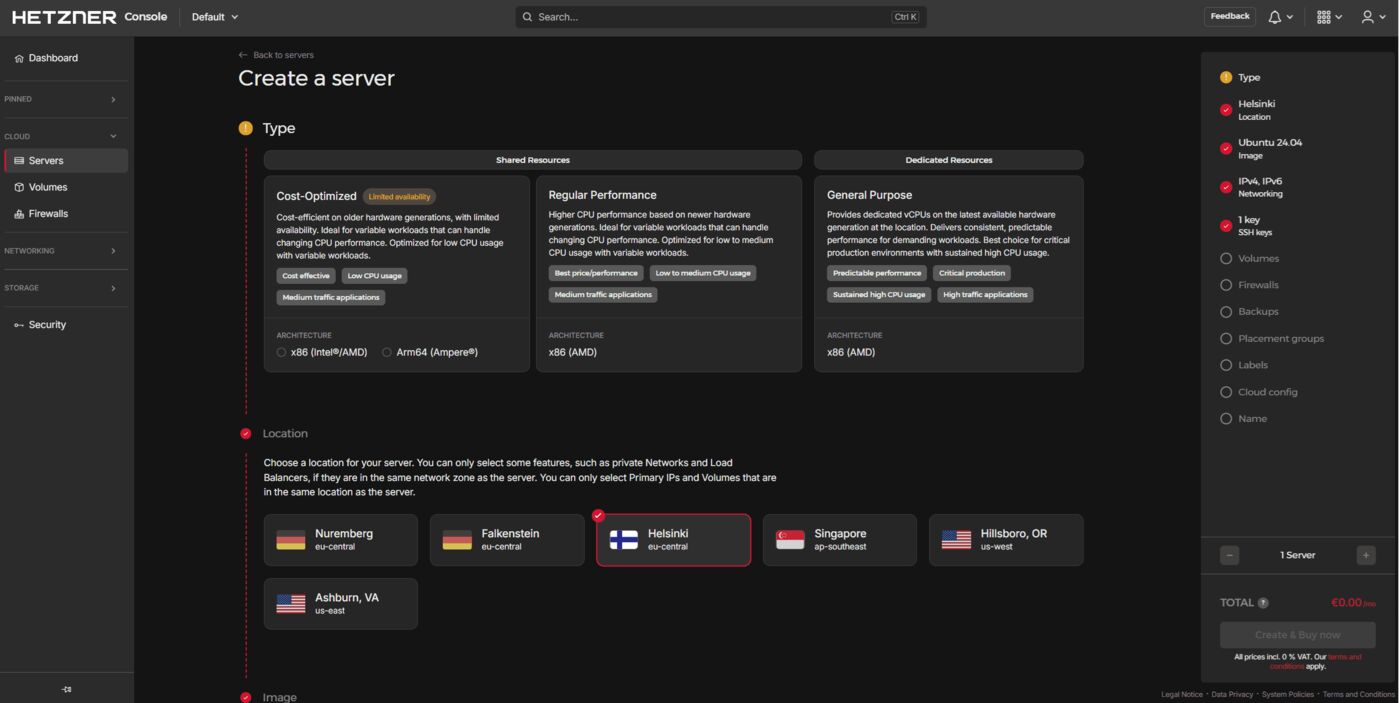
Hetzner gives you excellent RAM and CPU value for small always-on workloads. Its Cost-Optimized CX23, with 2 vCPUs and 4 GB, lists at €5.99 a month excluding VAT, with no intro pricing to wear off. It suits multi-service stacks and self-hosted tools once you know what you're doing.
The catch is stock. Hetzner's page showed the Cost-Optimized line as not available on October 23, and the Regular Performance CPX22 with the same specs costs €19.99. The console is also more utilitarian than DigitalOcean's.
Vultr: best if region choice matters
Vultr runs 33 regions across 20 countries, so you can put a scraper or trading-adjacent bot close to the exchange or API it talks to. A 2 vCPU, 4 GB plan costs $20 a month, billed hourly.
It's a reasonable middle ground on ease and flexibility, but it rarely wins outright on value or beginner experience.
Hostinger VPS: easiest entry point
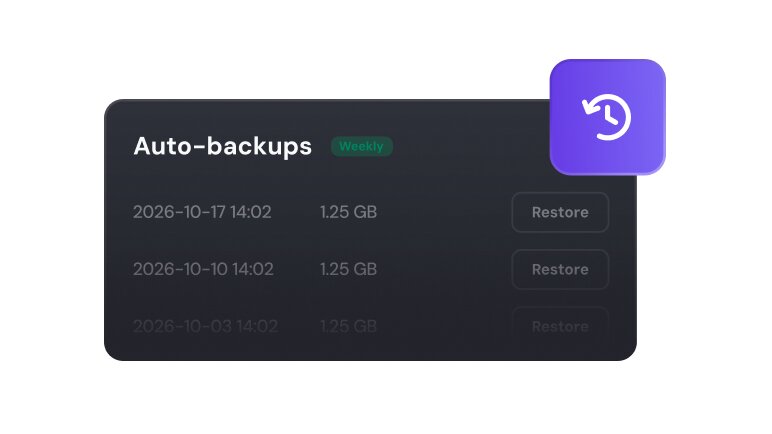
Hostinger feels more guided than raw, which helps if you're moving up from shared hosting. Every plan includes free weekly backups you can restore from the dashboard, plus an AI web terminal that runs server tasks from plain-language requests.
The entry KVM 1 has 4 GB of RAM for $6.49 a month, but you pay upfront and it renews at $11.99. Long term, Hetzner is the better value play.
What about app platforms and GPU servers?
If you'd rather not manage a server at all, app platforms run your code for you; see Railway vs Render vs Fly.io. If you want to run AI models yourself, a normal VPS won't cut it. Keep models local or rent GPU infrastructure.
Which one should you use?
The verdict
DigitalOcean is the best VPS for AI agents for most people in 2026, and Hetzner is the sharper pick if you know Linux and can get its Cost-Optimized plans. Start small, prove the workflow, and scale only once the agent stack is stable.
FAQ
How much VPS do most AI agents actually need?
Most automations, Discord bots, scanners, and agent workflows run fine on a 2 vCPU / 2GB to 4GB VPS. You usually only need more when you run multiple services, heavier databases, or local models on the same box.
Is a cheap VPS enough for OpenClaw or agent workflows?
Usually yes. For lightweight agent orchestration, cron jobs, dashboards, and webhook listeners, a modest VPS is enough. The bigger bottleneck is usually setup quality and uptime discipline, not raw horsepower.
Should I run local AI models on a VPS?
Not on a normal cheap VPS. Standard VPS plans are great for orchestration and always-on automation, but not for serious local LLM inference. For that, keep models local or rent specialized GPU infrastructure.