Our verdict: 16GB is the baseline, 32GB is the comfort zone. Browsing, office work, school and lighter coding are fine on 16GB. Docker, VMs, tab-heavy trading, video editing, local AI or a laptop you'll keep for years all point to 32GB.
Stuck between 16GB and 32GB of RAM? RAM isn't a flex. It's insurance against slowdowns, memory pressure and a machine you can't upgrade later.
 Mac unified memory
Windows and Linux PCs
What each amount of memory handles
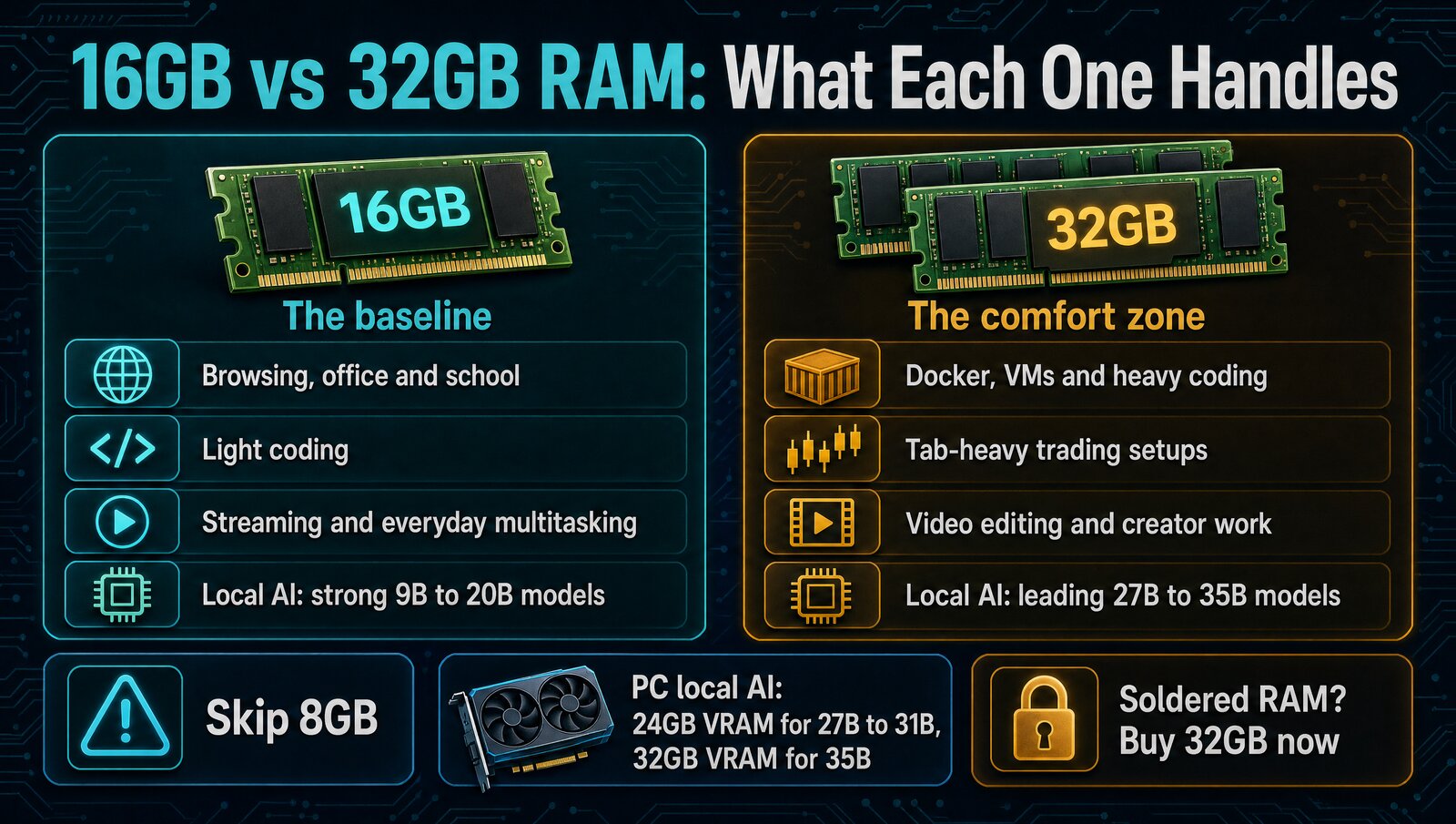
16GB vs 32GB at a glance
- Browsing, office work and school
- Lighter coding in a normal IDE
- Runs Gemma 4 12B for local AI
The catch: tight once Docker, VMs or big tab sessions pile up.
- Docker, VMs and heavier coding
- Tab-heavy trading and creator work
- Unlocks 27B to 35B local models
The catch: wasted money for email, docs and streaming.
- MacBooks and other soldered-RAM laptops
- Machines you'll keep three years or more
- Your main work tool
The catch: you pay for the headroom up front.
Quick decision table
| Use case | Minimum | Recommended | Verdict |
|---|---|---|---|
| School, office, browsing | 16GB | 16GB | Don't overpay for 32GB |
| Light coding | 16GB | 16GB to 32GB | 16GB is fine if the rest of the machine is good |
| Heavy coding, Docker, VMs | 16GB | 32GB | 32GB is the safer buy |
| Trading setup with lots of tabs and apps | 16GB | 32GB | 32GB keeps the system smooth |
| Video editing or creator workflow | 16GB | 32GB | Pay for 32GB |
| Non-upgradeable laptop you'll keep 3+ years | 16GB | 32GB | Future-proofing matters here |
Is 16GB enough for your work?
| Workload | 16GB | 32GB |
|---|---|---|
| Email, docs, streaming, web apps | ✓ | ✓ |
| Normal IDE plus a browser | ✓ | ✓ |
| Docker, VMs, local databases | Tight | ✓ |
| All-day trading with many windows | Tight | ✓ |
| Video editing and large photo libraries | Tight | ✓ |
| Local AI: Gemma 4 12B or gpt-oss-20b | ✓ | ✓ |
| Local AI: 27B to 35B models | ✗ | ✓ |
"Tight" means it runs, but you'll hit memory pressure as you stack apps.
When 16GB is enough
Email, docs, spreadsheets, web apps, streaming and normal multitasking sit comfortably inside 16GB on a modern machine. So does a lot of coding: an IDE, a browser and a terminal, without a pile of containers or local models.
16GB is also the smarter buy when the jump to 32GB forces a clearly worse CPU, storage tier or display. The question isn't whether 16GB survives. It's whether your work keeps hitting the ceiling, and for lots of people it won't.
When 32GB is worth it
32GB stops being overkill the moment your workflow stacks memory-heavy tools on top of each other. Think broker platforms, charting tools, Slack and a dozen research tabs at once. Or Docker, a local database, two IDE projects and browser debugging.
Creator work counts too: video editing, large photo libraries and design files. If the machine is your main workhorse and you're already on the fence, lean 32GB.
Buying a Mac with unified memory
On Apple silicon, the CPU, GPU, macOS and your apps all share one pool of unified memory. That changes some performance tradeoffs, but not the buying logic.
16GB is the baseline, and 32GB or more is the comfort tier for heavier work or a longer runway. Mac memory can't be upgraded after purchase, so the choice you make at checkout is final.
16GB vs 32GB for local AI
Local AI is where this decision changes most. 16GB runs a strong current model, but 32GB is the minimum we'd buy for serious local AI. The jump doesn't just make the same model faster. It unlocks a stronger class of model.
| Memory | What it unlocks | Examples | Buying verdict |
|---|---|---|---|
| 16GB | Strong 9B to 20B low-bit models | Gemma 4 12B, gpt-oss-20b | Good if you already own it |
| 32GB | Leading 27B to 35B consumer-local models at about 4-bit | Qwen3.8 27B, Qwen 3.6 35B-A3B, Gemma 4 31B | Minimum serious local-AI purchase |
On a Windows or Linux PC, dedicated GPU VRAM is the fast pool. 24GB of VRAM covers current 27B to 31B models, while a 35B model at about 4-bit fits better on a 32GB GPU. System RAM can hold overflow layers, but it runs far slower, so don't add it to VRAM as if they were one pool. For model-by-model detail, see our best local LLM by RAM guide.
What about 8GB, or more than 32GB?
Skip 8GB. It's the easiest way to regret a laptop fast, and a faster chip won't fix constant memory pressure. Above 32GB mostly matters for daily local-AI work and bigger models. Our local-LLM laptop picks cover that tier, and our Claude Code laptop guide covers cloud-first AI coding.
Which one should you buy?
The verdict
Buy 16GB for normal productivity, normal coding and normal multitasking. Buy 32GB if the machine is a real work tool, you run heavier stacks or local AI, or you can't upgrade later.
FAQ
Is 16GB RAM enough for coding?
Yes for many lighter coding setups. If your work includes Docker, virtual machines, big browser sessions, heavier IDE usage or multiple local services, 32GB makes a lot more sense.
Is 16GB enough for trading?
It can be enough for a lighter setup. If your trading setup includes lots of tabs, research windows, charting platforms and all-day multitasking, 32GB is usually the smoother call.
Is 32GB RAM overkill?
Not automatically. It's overkill for many casual users, but not for serious daily work. The right question is whether your workflow or ownership timeline justifies the headroom.
What if the laptop has soldered RAM?
Then the decision matters more. If you can't upgrade later and you already suspect 16GB might feel tight, it's usually smarter to buy 32GB now.
Should I choose 16GB or 32GB for local AI?
Choose 16GB if you already own it or only need strong small models such as Gemma 4 12B. Choose 32GB of unified memory when buying for serious local AI, because it unlocks the leading 27B to 35B consumer-local models with useful headroom.
Should I prioritize RAM or storage?
For most performance complaints, too little RAM hurts sooner than too little storage. If you can only upgrade one spec, RAM usually has the bigger impact on day-to-day smoothness.