Our verdict: the MacBook Pro 14 with M5 Pro and 48GB is the best laptop for local LLMs at $3,299. The MacBook Air M5 ($1,299) is all you need for cloud AI, and the Alienware 16 Area-51 is the pick if your work depends on NVIDIA and CUDA.
Most people don't need a powerful laptop for AI. Claude, ChatGPT and Gemini run in the cloud, so your laptop is just a browser. Running models yourself with Ollama, LM Studio or MLX is different: the whole model has to fit in your laptop's memory, and that one number decides what you can run.

 MacBook Pro M5 Pro
MacBook Air M5
 Alienware 16 Area-51
 Framework Laptop 16
How much memory each model size needs
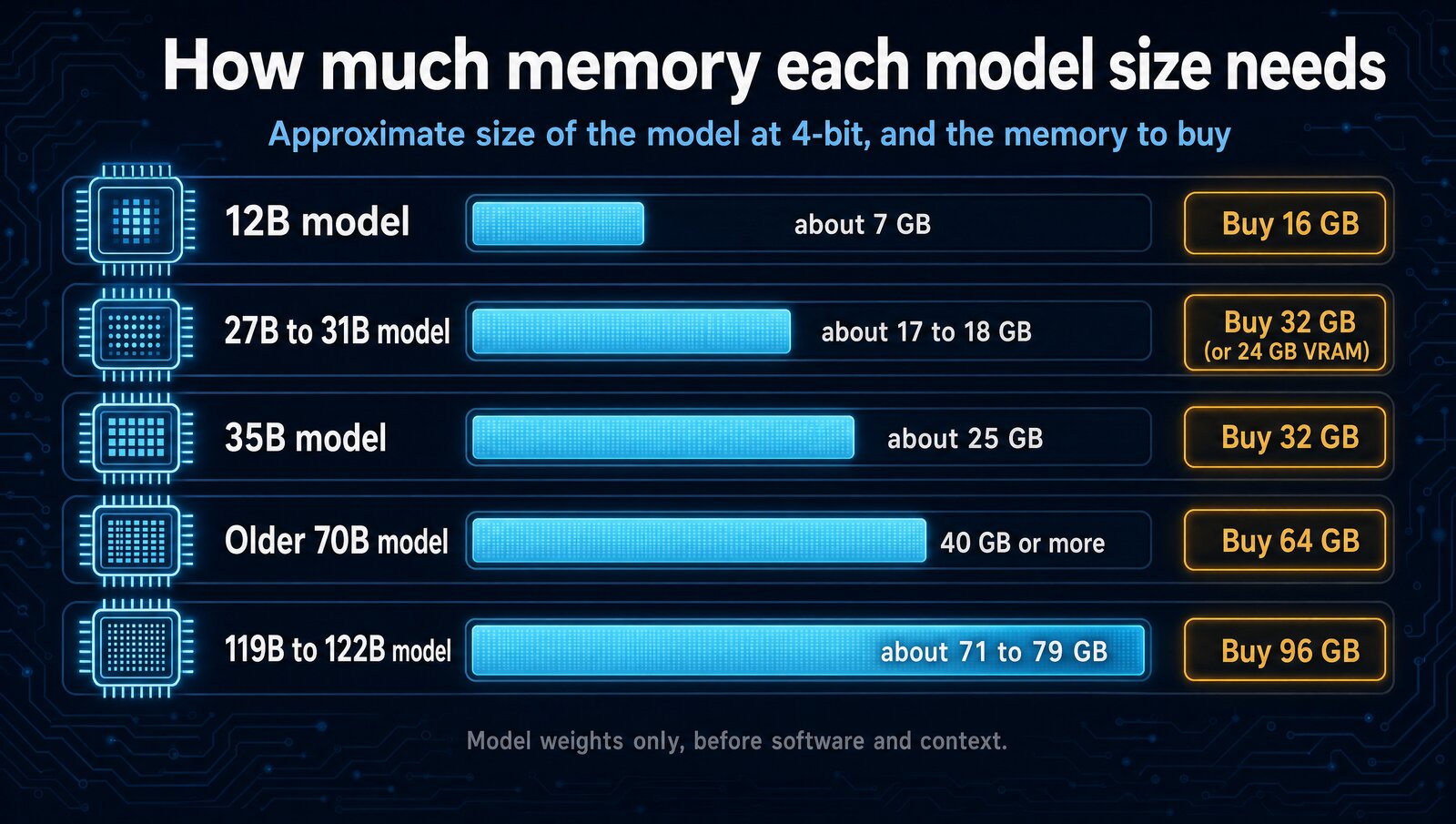
Memory is the spec that matters most. At 4-bit, a model takes roughly 0.6GB per billion parameters before software and context, so always leave headroom. On a Mac, the GPU shares the whole unified pool. On a PC, a model runs at full speed only if it fits in the GPU's dedicated VRAM.
The 4 laptops at a glance
MacBook Pro 14 (M5 Pro)- 48GB unified memory at 307GB/s
- Fits 27B to 35B models with room for context
- Up to 22 hours of video playback
The catch: no CUDA, and memory can't be added later.
MacBook Air M5- Runs 12B-class models like Gemma 4 12B
- Fanless and 2.7 pounds
- Up to 18 hours of video playback
The catch: 16GB stops short of the 27B class.
Alienware 16 Area-51- 12GB of dedicated GDDR7 VRAM
- Full CUDA support for PyTorch and vLLM
- User-replaceable RAM up to 64GB
The catch: up to 7.49 pounds, and 12GB is small for the price.
Framework Laptop 16- RTX 5070 module with 8GB or 12GB
- Swap the GPU, memory and storage later
- Takes up to 96GB of DDR5
The catch: pre-order only, and a full build adds up fast.
Prices and specs
Prices checked October 23, 2026, on each maker's own US store.
| Laptop | Price | Chip and GPU | Memory for models | Storage |
|---|---|---|---|---|
| MacBook Pro 14 (M5 Pro) | $3,299 with 48GB; $2,499 base (24GB, 15-core CPU) | M5 Pro, 18-core CPU, 20-core GPU | 48GB unified, 307GB/s (up to 64GB) | 1TB |
| MacBook Air 13 (M5) | $1,299 | M5, 10-core CPU, 8-core GPU | 16GB unified (up to 32GB) | 512GB |
| Alienware 16 Area-51 | $4,149.99 with RTX 5070 Ti; $4,999.99 with RTX 5090 | Core Ultra 9 290HX Plus, RTX 5070 Ti | 12GB VRAM (24GB on RTX 5090) plus 32GB DDR5 | 1TB |
| Framework Laptop 16 | From $1,249 DIY; GPU module $699 (8GB) or $1,199 (12GB) | Ryzen AI 300, RTX 5070 module | 8GB or 12GB VRAM plus up to 96GB DDR5 | Your choice |
What each one can run
| Feature | MacBook Pro M5 Pro (48GB) | MacBook Air M5 (16GB) | Alienware (RTX 5070 Ti) | Framework 16 (RTX 5070) |
|---|---|---|---|---|
| Runs 7B models | ✓ | ✓ | ✓ | ✓ |
| Runs 13B models | ✓ | ✓ | ✓ | 12GB module |
| Runs 70B models | 64GB config | ✗ | ✗ | ✗ |
| Unified memory | ✓ | ✓ | ✗ | ✗ |
| NVIDIA GPU (CUDA) | ✗ | ✗ | ✓ | ✓ |
| Upgradeable memory | ✗ | ✗ | ✓ | ✓ |
Based on about 0.6GB per billion parameters at 4-bit, plus headroom. ✗ on 70B for the PCs means slow CPU offload only.
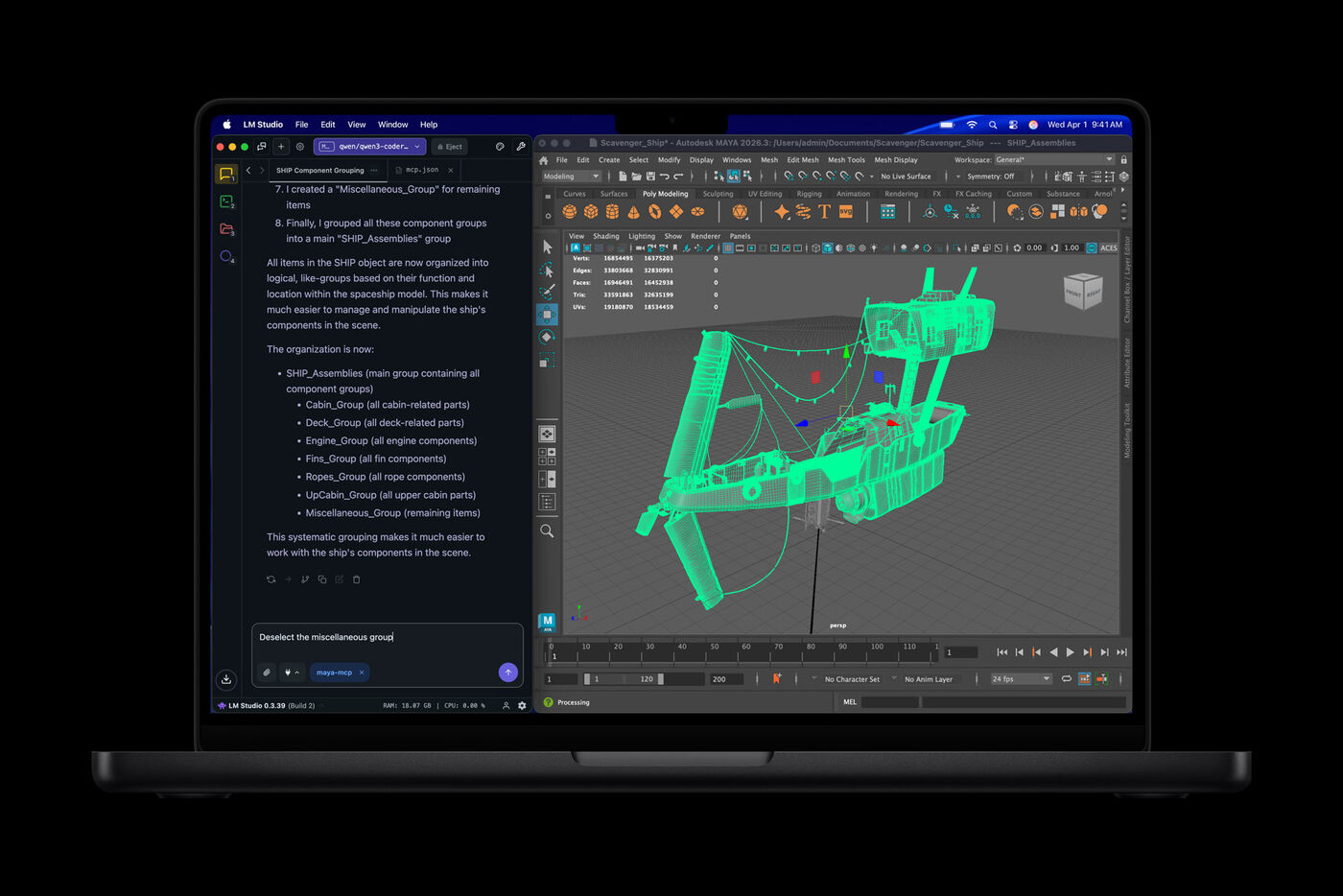
MacBook Pro 14 (M5 Pro): best for local LLMs
Unified memory is the reason it wins. The GPU reaches the whole 48GB pool, so 27B-to-31B models such as Qwen3.8 27B and Gemma 4 31B fit at about 4-bit with room for context and your other apps. A PC laptop needs 24GB of VRAM to do the same.
Skip the $2,499 base model for local AI: it has 24GB, and 48GB requires the 18-core chip. Choose 64GB ($3,699) for older 70B-class models. An NVIDIA GPU is faster when a model fits in its VRAM, and some ML tools still expect CUDA.
MacBook Air M5: best for cloud AI
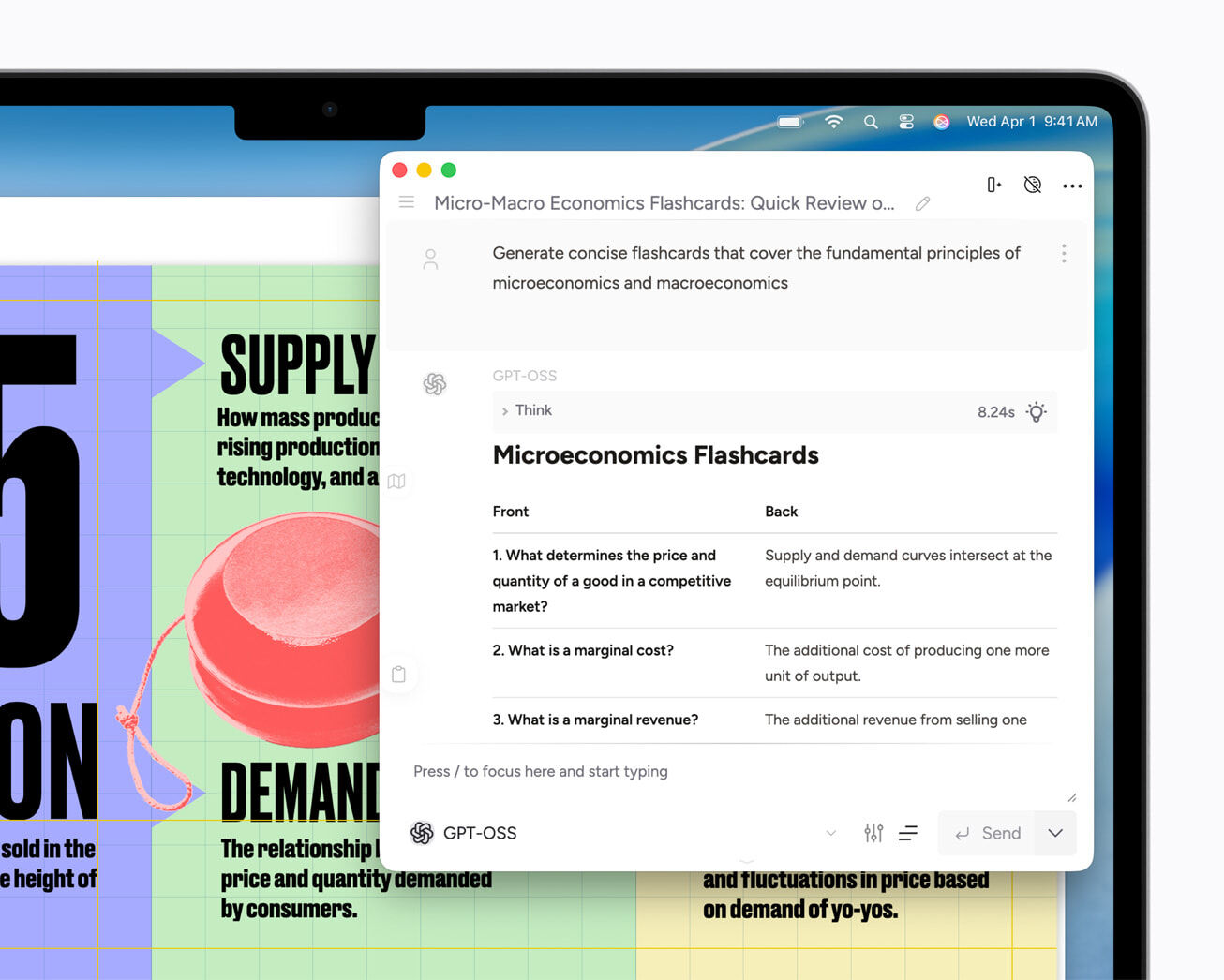
If you use Claude, ChatGPT or Gemini in a browser, this is your laptop. Cloud AI runs on remote GPUs, so a fanless 2.7-pound machine with up to 18 hours of video playback is plenty.
It runs local models too. Sixteen gigabytes fits Gemma 4 12B or gpt-oss-20b at low-bit precision, but not the stronger 27B class. If local AI is part of the reason you're buying, configure 24GB or 32GB, or step up to the Pro.
Alienware 16 Area-51: best for CUDA
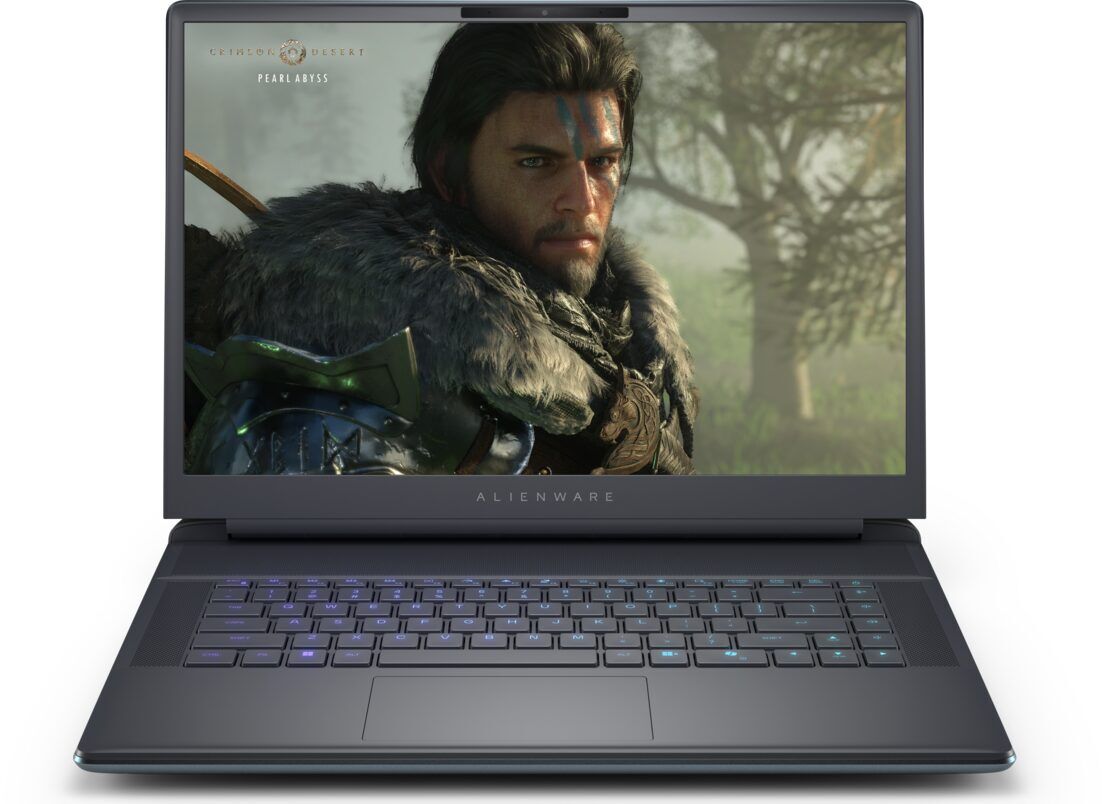
Pick this if you fine-tune, build pipelines or use tools written for NVIDIA first, such as PyTorch and vLLM. The RTX 5070 Ti's 12GB of GDDR7 runs 7B-to-13B models at full GPU speed, and the RAM is user-replaceable up to 64GB.
Price is the catch. Dell's 5070 Ti build costs $4,149.99, and 12GB won't hold the 27B class. The RTX 5090 option brings 24GB of VRAM for $4,999.99, the cleanest PC laptop fit for 27B-to-31B models.
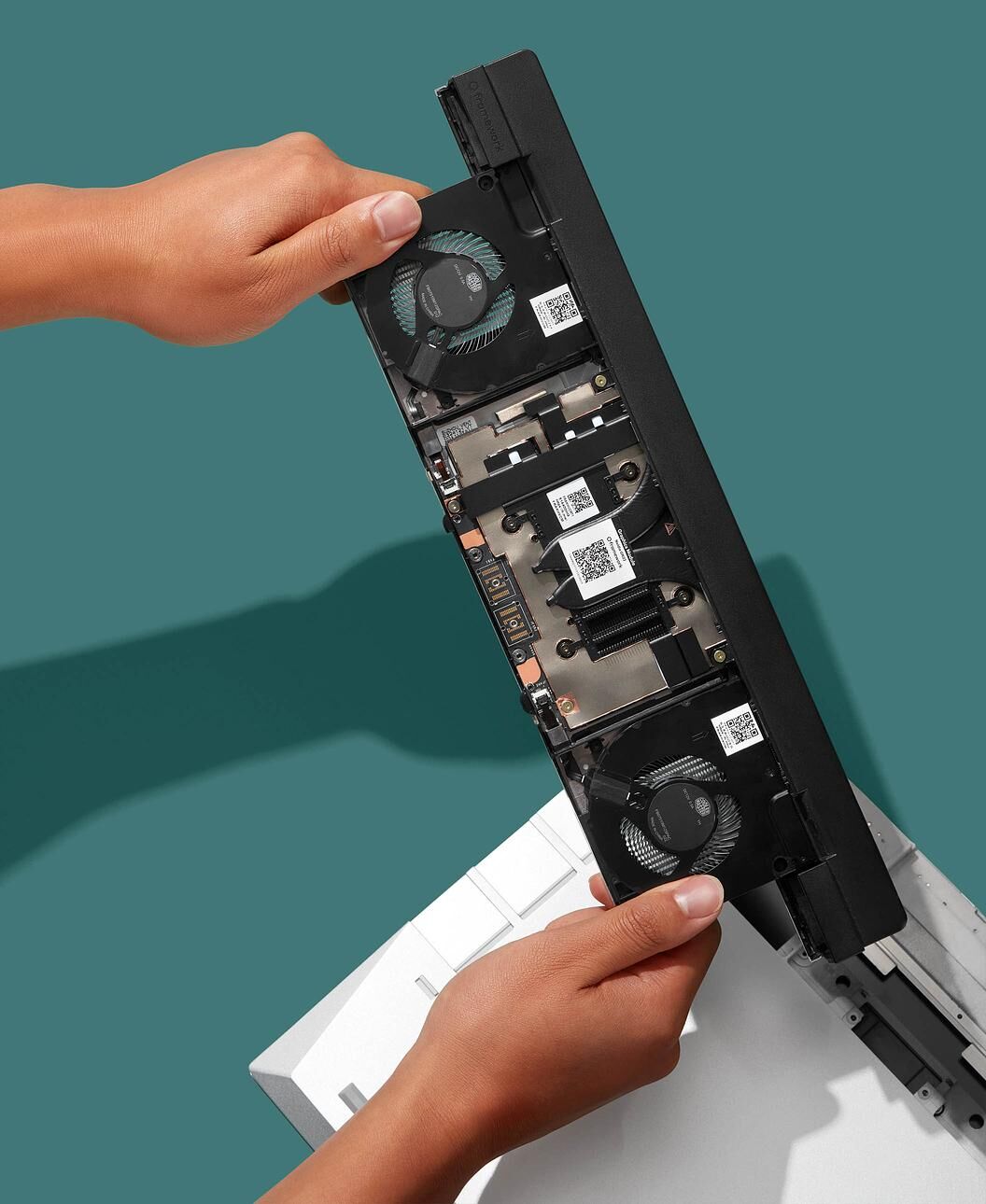
Framework Laptop 16: the modular option
Framework lets you swap the GPU, memory and storage yourself, which matters when model sizes change every few months. The DIY Edition starts at $1,249 without memory, storage or an operating system, so you can bring your own, including Linux.
The RTX 5070 graphics module costs $699 with 8GB or $1,199 with 12GB. Take the 12GB version for 13B models. With a Ryzen AI 7, 32GB and the 12GB module, a build passes $3,250 before storage.
What about the M5 Max and desktops?
The MacBook Pro with M5 Max starts at $4,099 with 36GB and goes up to 128GB with the 40-core GPU. It's the only laptop here that reaches the newest 119B-to-122B models, which need about 96GB. For training or heavy fine-tuning, a desktop GPU or cloud GPUs make more sense than any laptop.
Only using Claude Code or other cloud AI tools?
If your real workflow is Claude Code, Cursor, browser tools and terminals, this local-LLM guide is probably more machine than you need.
Which one should you buy?

The verdict
The MacBook Pro 14 with M5 Pro and 48GB is the best laptop for local LLMs in 2026, because its unified memory fits the strong 27B-to-35B models a PC laptop needs 24GB of VRAM for. If you only use cloud AI, save $2,000 and buy the MacBook Air M5.
FAQ
How much memory should a local-LLM laptop have in 2026?
Sixteen gigabytes can run useful smaller models, but 32GB unified memory is the minimum serious purchase for leading 27B-to-35B consumer-local models at low-bit precision. Choose 64GB for daily use, longer context, and fewer compromises.
Is a Mac or PC laptop better for local LLMs?
Apple Silicon offers a flexible unified-memory pool and excellent efficiency. A PC with enough dedicated NVIDIA VRAM is usually faster and has stronger CUDA support. For current 27B-to-31B models, 24GB of VRAM plus at least 32GB of system RAM is the clean PC target.
Do cloud AI users need a powerful AI laptop?
No. Claude, ChatGPT, Gemini, and similar services run on remote hardware. A modern laptop with 16GB of RAM is enough for browser-based AI, coding tools, and normal multitasking.
Can a laptop run 70B or larger local models?
A 64GB unified-memory Mac can run some older 70B-class models at roughly 4-bit precision. The newest 119B-to-122B checkpoints need about 96GB for a clean deployment, so mainstream laptops are not the right target for that tier.